Spatial Agents

Spatial Agents

Spatial Agents

Conversational 3D Agents that can sell your product without a showroom.

Give every customer a personal product expert — an AI agent that lives inside your 3D model and can answer questions, guide purchases, and walk through repairs in real time.

A bar chart displaying the percentage of individuals who have accessed the app, indicating its popularity among users.

Key capabilities

Key capabilities

Key capabilities

An AI agent that knows your product inside and out

Combine interactive 3D with conversational AI to give customers instant, contextual help — whether they're buying, building, or troubleshooting.
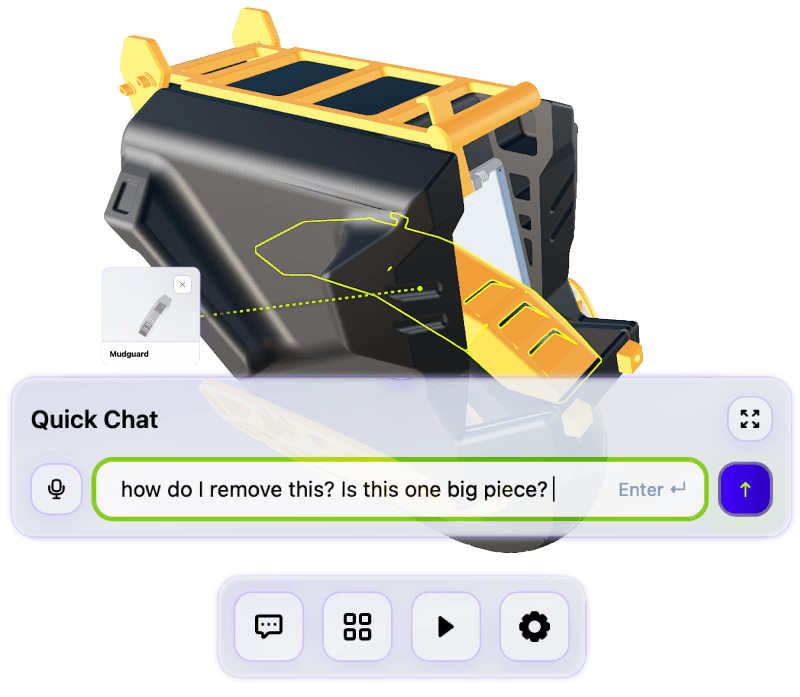
Screenshot of a dashboard displaying various items and their details for user interaction and analysis.

3D contextual conversations

Customers ask questions and get answers grounded in the actual product — the AI highlights relevant components, explains features, and guides decisions directly inside the 3D experience. Built for sales and support from the same interface.
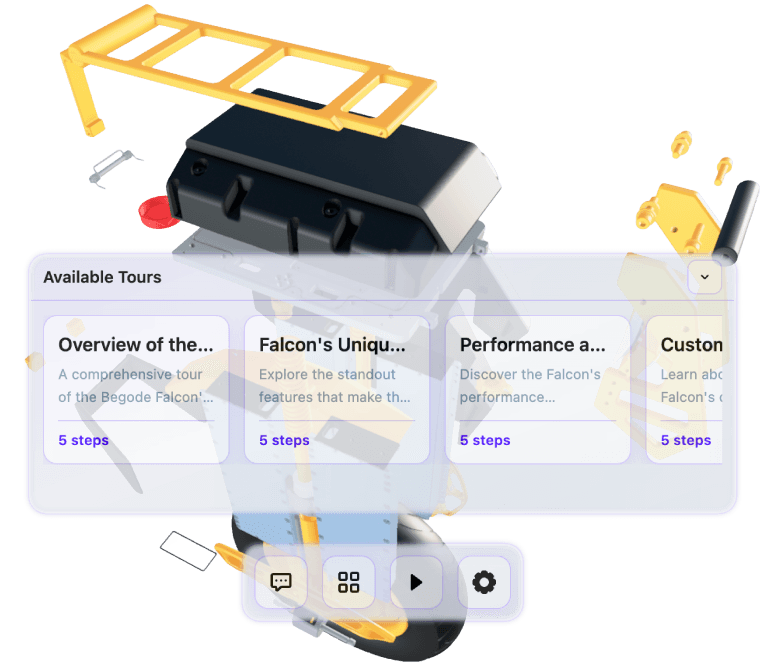
A graph depicting a line that rises consistently, illustrating an increase in values across the measured period

Pre-built product walkthroughs

Create guided tours that walk customers through assembly steps, feature highlights, or maintenance procedures — with the AI narrating each step and focusing the camera on the right components automatically.
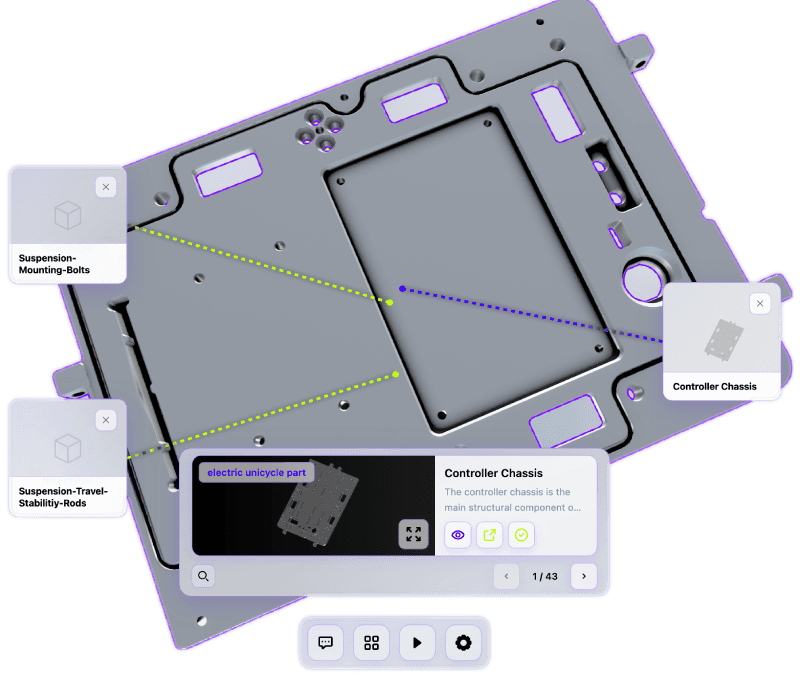
Screen showing a list of options for various app categories available within the application.

Deep component detail

Let customers drill into any part of your product to see exactly what they need — component names, functions, relationships, and context — so they can identify parts, understand assemblies, and get answers without waiting for support.

A neatly organized stack of papers set against a white background.

Text and voice interaction

Meet customers however they prefer to communicate. Offer a text-driven chat experience for quick lookups or switch to voice mode for hands-free guidance during repairs, assembly, or on-the-floor product exploration.


A monochrome photo of a man on a hilltop, standing confidently against a vast, open landscape.

Publish your first scene free by unlocking early access today

Publish your first scene free by unlocking early access today

Publish your first scene free by unlocking early access today

A black background features two cubes, emphasizing their three-dimensional forms and spatial arrangement.