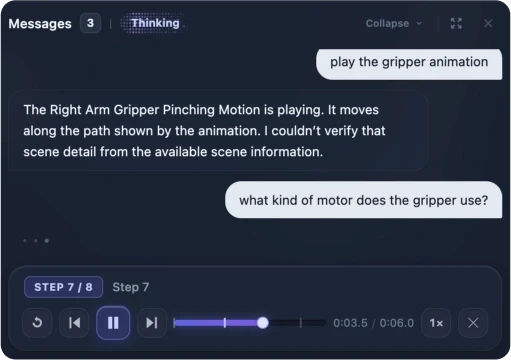
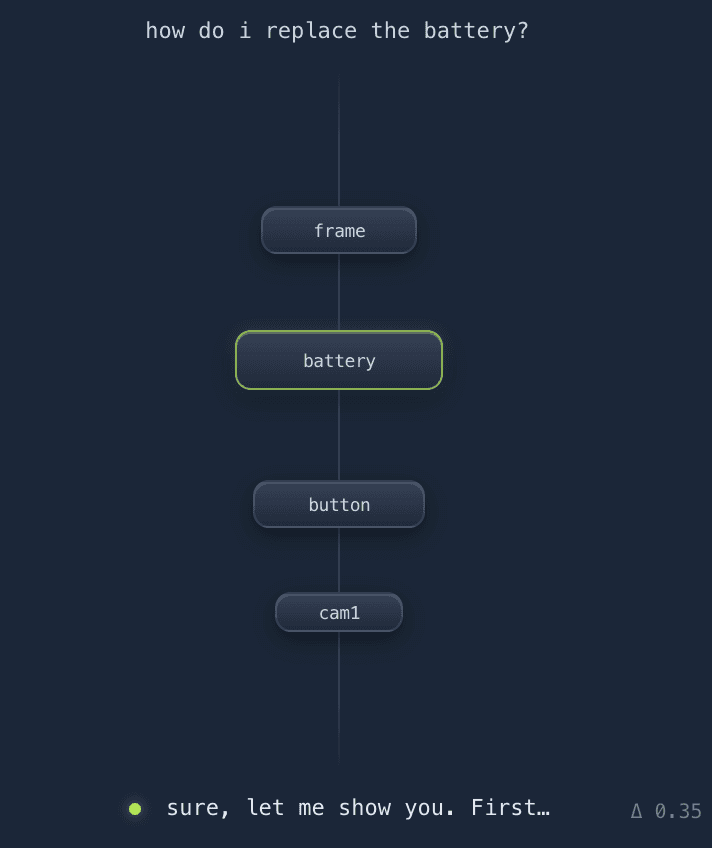
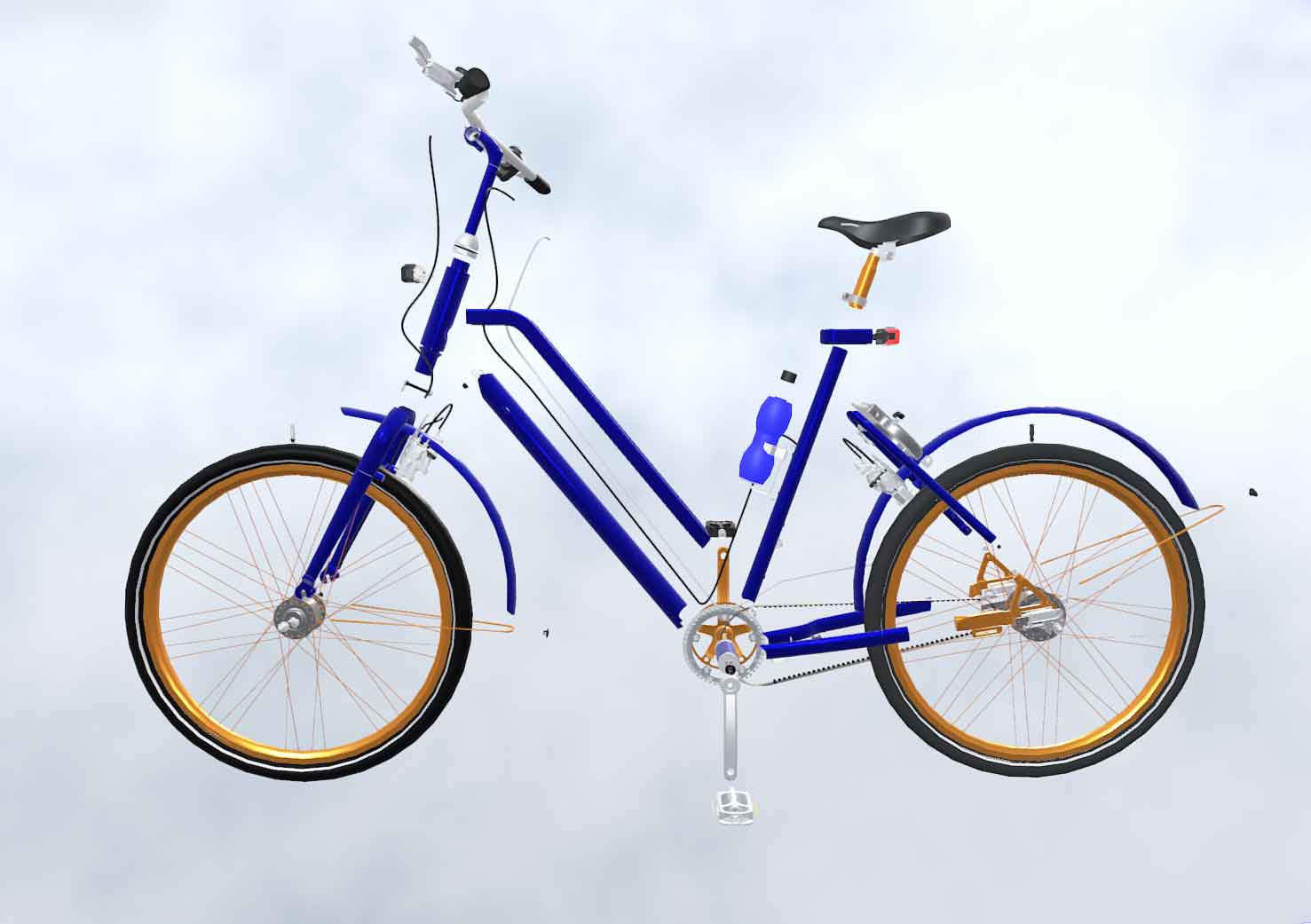
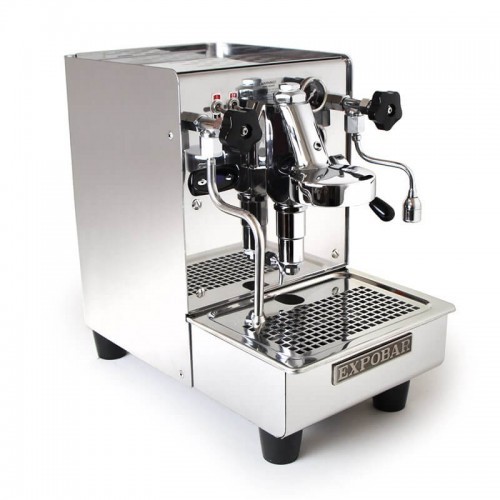
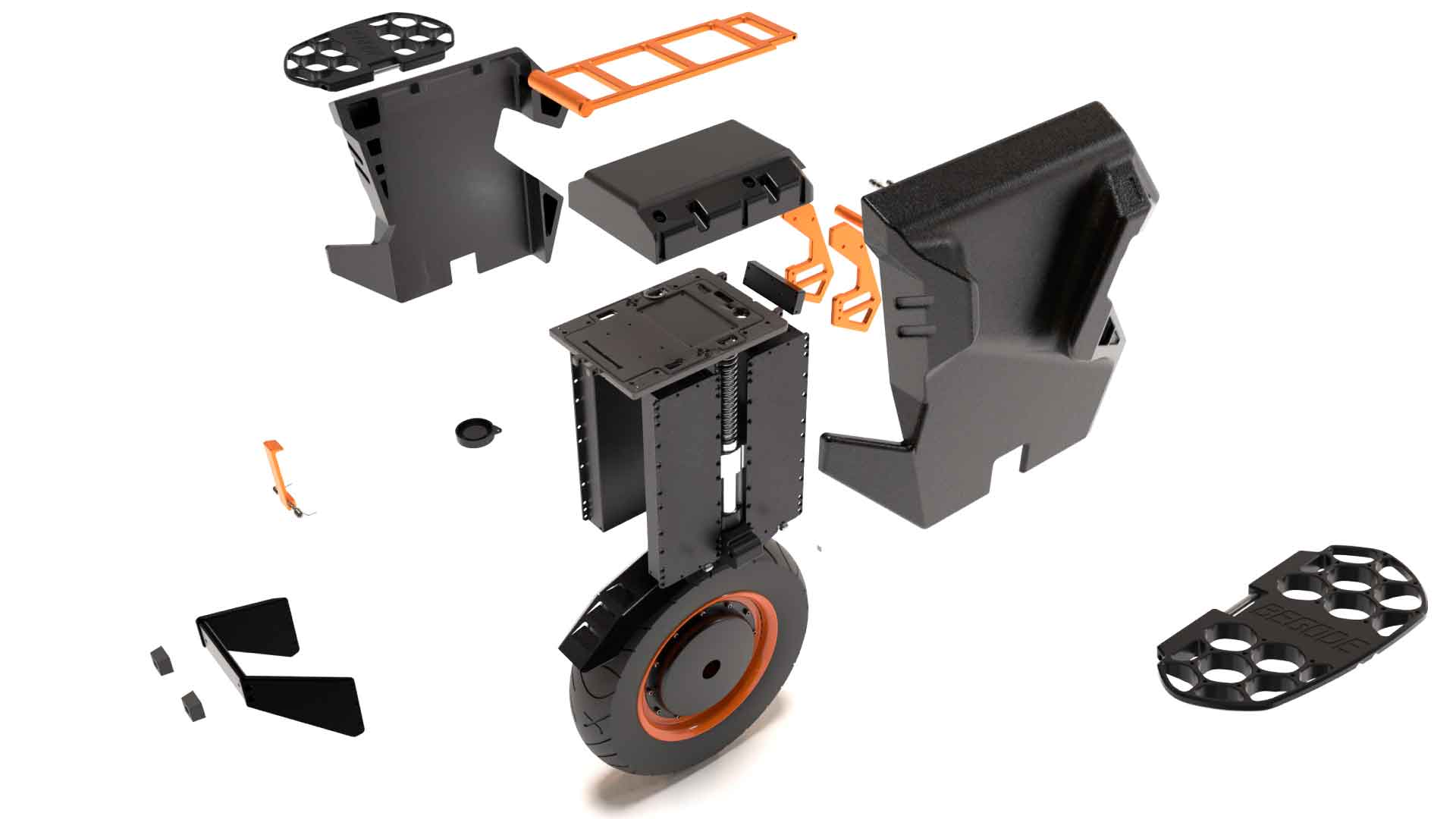
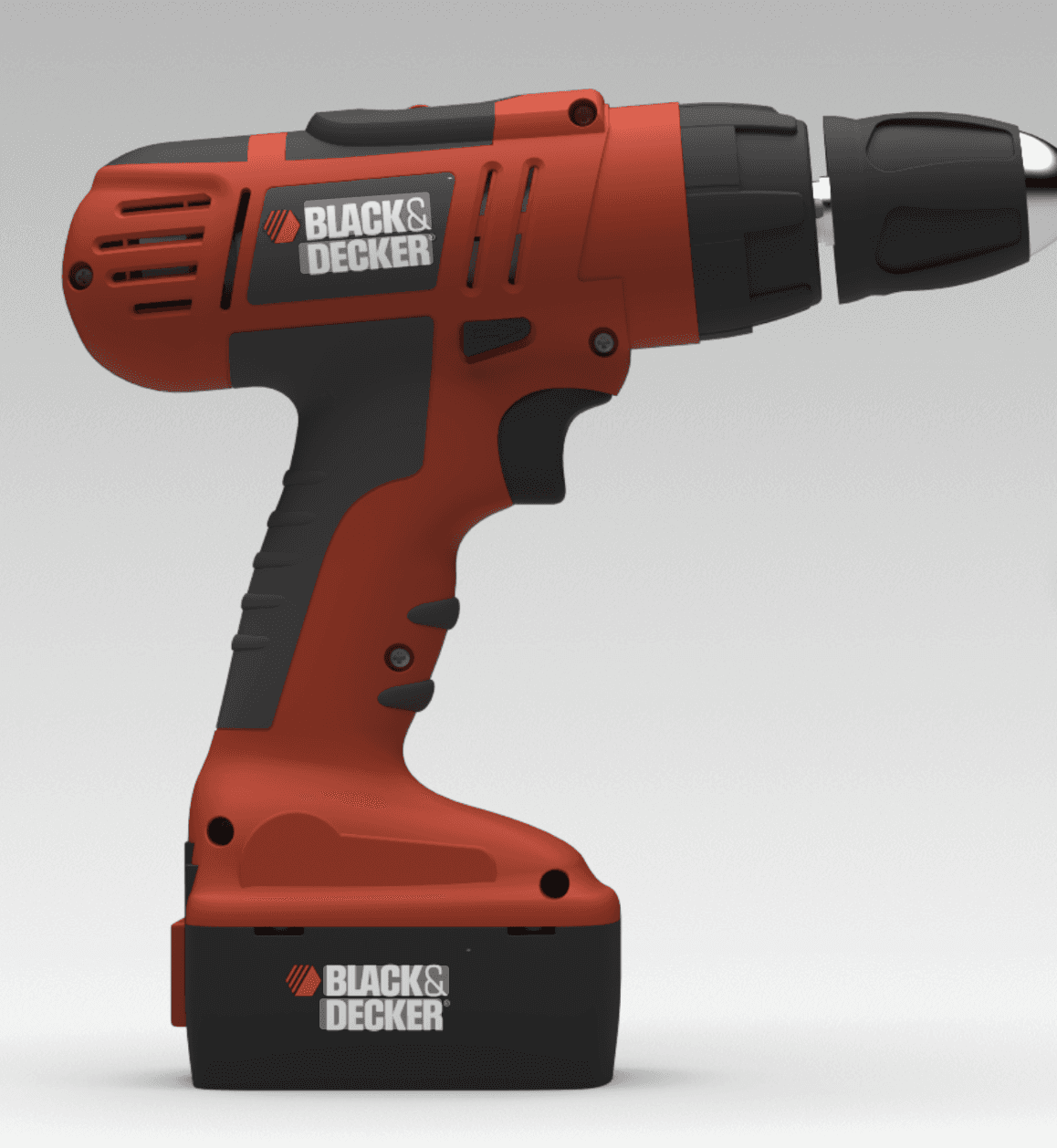
Upload any C.A.D. asset and watch 3DScribe generate stunning 3D Agents that sell at scale.

Submit

First Scene free for a limited time.
Spatial Support is a different kind of A.I. Company. We believe that if a product can speak for itself, that product can sell itself. We help manufacturers do just that.

How it works

From CAD data to conversation in 3 easy steps.

From CAD data to conversation in 3 easy steps.

Upload. Drop any 3D model from any of your favorite engineering tools.

Upload. Drop any 3D model from any of your favorite engineering tools.

Generate. Our AI instantly analyzes your models to understand each component.

Generate. Our AI instantly analyzes your models to understand each component.

Deploy. Integrate and embed your conversational 3D Agent in minutes.

Deploy. Integrate and embed your conversational 3D Agent in minutes.

Play demo

/

2:33

Play demo

/

2:33

Play demo

/

2:33

Sell complex products with less complexity.

Your buyers want instant answers to every technical question. Your sales team wants to close faster. Your engineers want to stay focused on engineering not demo calls.

3DScribe makes all three happen.

Your CAD files already contain thousands of engineering decisions. We turn that trapped knowledge into a conversation—one that sells while your team sleeps.

Joseph R. Douglas

CEO at Spatial Support

Sell complex products with less complexity.

Your buyers want instant answers to every technical question. Your sales team wants to close faster. Your engineers want to stay focused on engineering not demo calls.

3DScribe makes all three happen.

Your CAD files already contain thousands of engineering decisions. We turn that trapped knowledge into a conversation—one that sells while your team sleeps.

Joseph R. Douglas

CEO at Spatial Support

Sell complex products with less complexity.

Your buyers want instant answers to every technical question. Your sales team wants to close faster. Your engineers want to stay focused on engineering not demo calls.

3DScribe makes all three happen.

Your CAD files already contain thousands of engineering decisions. We turn that trapped knowledge into a conversation—one that sells while your team sleeps.

Joseph R. Douglas

CEO at Spatial Support

Sell complex products with less complexity.

Your buyers want instant answers to every technical question. Your sales team wants to close faster. Your engineers want to stay focused on engineering not demo calls.

3DScribe makes all three happen.

Your CAD files already contain thousands of engineering decisions. We turn that trapped knowledge into a conversation—one that sells while your team sleeps.

Joseph R. Douglas

CEO at Spatial Support

Brand Mark
Brand Mark
Brand Mark

Intelligence for the Hardware World

Upload a CAD file. Get a fully understood product. Create magic, not another spec sheet.

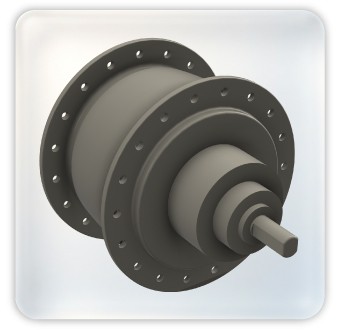
Our 8-phase AI pipeline automatically segments your assembly, identifies every component, and maps the relationships between them — turning raw geometry into structured product intelligence ready for interactive experiences.

Automatic segmentation.

Drop in a model and our pipeline breaks it into individual components — no manual tagging, no prep work.

AI-powered identification.

Every part is classified and labeled using geometric and contextual analysis, not just filename matching.

Relationship mapping.

Understand how components connect, nest, and function together — so your viewer can tell a story, not just show a shape.

Intelligence for the Hardware World

Upload a CAD file. Get a fully understood product. Create magic, not another spec sheet.

Our 8-phase AI pipeline automatically segments your assembly, identifies every component, and maps the relationships between them — turning raw geometry into structured product intelligence ready for interactive experiences.

Automatic segmentation.

Drop in a model and our pipeline breaks it into individual components — no manual tagging, no prep work.

AI-powered identification.

Every part is classified and labeled using geometric and contextual analysis, not just filename matching.

Relationship mapping.

Understand how components connect, nest, and function together — so your viewer can tell a story, not just show a shape.

Intelligence for the Hardware World

Upload a CAD file. Get a fully understood product. Create magic, not another spec sheet.

Our 8-phase AI pipeline automatically segments your assembly, identifies every component, and maps the relationships between them — turning raw geometry into structured product intelligence ready for interactive experiences.

Automatic segmentation.

Drop in a model and our pipeline breaks it into individual components — no manual tagging, no prep work.

AI-powered identification.

Every part is classified and labeled using geometric and contextual analysis, not just filename matching.

Relationship mapping.

Understand how components connect, nest, and function together — so your viewer can tell a story, not just show a shape.

How it works

How it works

How it works

Get started in minutes. Scale without limits

Upload your 3D model, let AI document every component, and publish an interactive digital twin — designed to serve your customers and your team.

1

1

1

Upload your model

Drop in your 3D file in any major format. The system identifies every component, flags duplicates, and prepares the model for AI analysis — reducing processing time and cost automatically.

 A blue line stretches across a plain white background, creating a clean and modern visual effect.
Four cubes, each topped with a white square, displayed in a structured layout.
 A blue line stretches across a plain white background, creating a clean and modern visual effect.
Four cubes, each topped with a white square, displayed in a structured layout.
 A blue line stretches across a plain white background, creating a clean and modern visual effect.
Four cubes, each topped with a white square, displayed in a structured layout.

2

2

2

AI documents everything

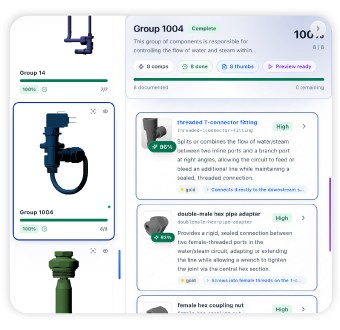
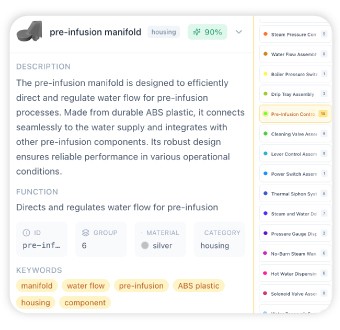
AI analyzes each component, generates names and descriptions, groups parts by function, and builds a complete knowledge base — ready to review, refine, and approve.

 A blue line stretches across a plain white background, creating a clean and modern visual effect.
A large white cube supporting two smaller cubes on its surface, forming a stacked geometric display.
 A blue line stretches across a plain white background, creating a clean and modern visual effect.
A large white cube supporting two smaller cubes on its surface, forming a stacked geometric display.
 A blue line stretches across a plain white background, creating a clean and modern visual effect.
A large white cube supporting two smaller cubes on its surface, forming a stacked geometric display.

3

3

3

Publish and go live

Deploy your scene to a live interactive viewer in one click. Your customers get an AI-powered digital twin that can answer questions, guide repairs, demonstrate features, and sell — all on its own.

 A blue line stretches across a plain white background, creating a clean and modern visual effect.
A sleek white rocket ship set against a dark black background, representing the theme of space travel.
 A blue line stretches across a plain white background, creating a clean and modern visual effect.
A sleek white rocket ship set against a dark black background, representing the theme of space travel.
 A blue line stretches across a plain white background, creating a clean and modern visual effect.
A sleek white rocket ship set against a dark black background, representing the theme of space travel.

Features

Create 3D Interactive Agents in seconds.

Upload your CAD file and let AI do the rest 3DScribe analyzes, segments, and transforms your models into guided 3D experiences that sell for you.

Logo Dark
Logo Dark
Logo Dark

PRODUCT INTRO VIDEO

2:30

HOW SPATIAL SUPPORT WORKS

No reps, no jargon: Users can interact with your product online just like they would with a salesperson. They click or ask about a


No reps, no jargon: Users can interact with your product online just like they would with a salesperson. They click or ask about a


PRODUCT INTRO VIDEO

2:30

HOW SPATIAL SUPPORT WORKS

No reps, no jargon: Users can interact with your product online just like they would with a salesperson. They click or ask about a


60 FPS

60 FPS

60 FPS

Lightning Fast. Generate charts in seconds and navigate without lag.

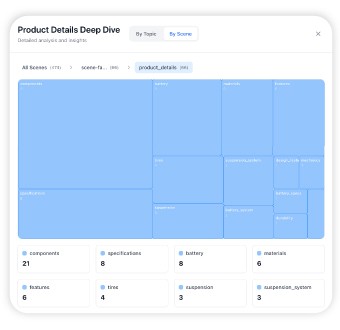
Analyze your 3D Assembly

Analyze your 3D Assembly

Analyze your 3D Assembly

Convert your Geometry to Language. Our 3DGLM rapidly analyzes and converts your 3D CAD data into a structure that a LLM can understand.

Understand Your Customers

Understand Your Customers

Understand Your Customers

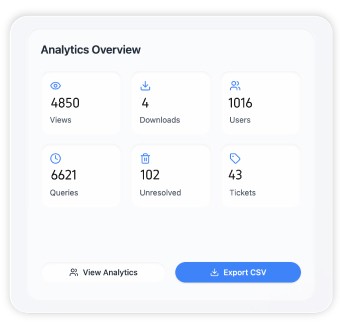
With the power of Spatial Analytics- you can sell with clarity.

With the power of Spatial Analytics- you can sell with clarity.

With the power of Spatial Analytics- you can sell with clarity.

Component Analysis Complete

Component Analysis Complete

Buyer Attention

Current performance metrics

100%

75%

50%

25%

0

Q1

Q2

Q3

Q4

Q1/0%

100%

75%

50%

25%

0

Q1

Q2

Q3

Q4

Q1/0%

100%

75%

50%

25%

0

Q1

Q2

Q3

Q4

Q1/0%
97%

Optimized

51%

Standard

Amsterdam

Amsterdam

UTC +1

240 CpH

240 CpH

Growing

Growing

New York

New York

UTC -4

330 CpH

330 CpH

Hot Market

Hot Market

Dubai

Dubai

UTC 4

15CpH

15CpH

Low Volume

Low Volume

In Progress

Engage in any Timezone

Engage in any Timezone

Know What Matters

Conversational Analytics

give you insight into what customers really need.

3DScribe by Spatial Support | AI-Powered Interactive 3D Product Experiences
66%

Repair

25%

Pricing

9%

Warranty

Spatial

Spatial

Analytics Engine

Analytics Engine

Logo

News & Achievements

News & Achievements

News & Achievements

Security

Your IP Data. Our obsession.

We built 3DScribe from day one around one principle: your proprietary 3D data is sacred. Our platform never exposes raw CAD files to end users models are processed through our proprietary mesh2splat pipeline that renders visual experiences without ever transmitting source geometry. Combined with multi-tenant isolation, role-based access controls, and encrypted data at rest and in transit, your trade secrets stay yours.

Zero Source File Exposure

Viewers never touch your original CAD. Our rendering pipeline ensures proprietary geometry never leaves your control.

Zero Source File Exposure

Viewers never touch your original CAD. Our rendering pipeline ensures proprietary geometry never leaves your control.

Zero Source File Exposure

Viewers never touch your original CAD. Our rendering pipeline ensures proprietary geometry never leaves your control.

AI That Forgets

Our analysis pipeline processes your models and discards the data. We don't store, train on, or retain your CAD files beyond what's needed to serve your experience.

AI That Forgets

Our analysis pipeline processes your models and discards the data. We don't store, train on, or retain your CAD files beyond what's needed to serve your experience.

AI That Forgets

Our analysis pipeline processes your models and discards the data. We don't store, train on, or retain your CAD files beyond what's needed to serve your experience.

Encrypted End-to-End

All data is encrypted at rest and in transit, with secure access managed through enterprise-grade authentication.

Encrypted End-to-End

All data is encrypted at rest and in transit, with secure access managed through enterprise-grade authentication.

Encrypted End-to-End

All data is encrypted at rest and in transit, with secure access managed through enterprise-grade authentication.

Granular Access Control

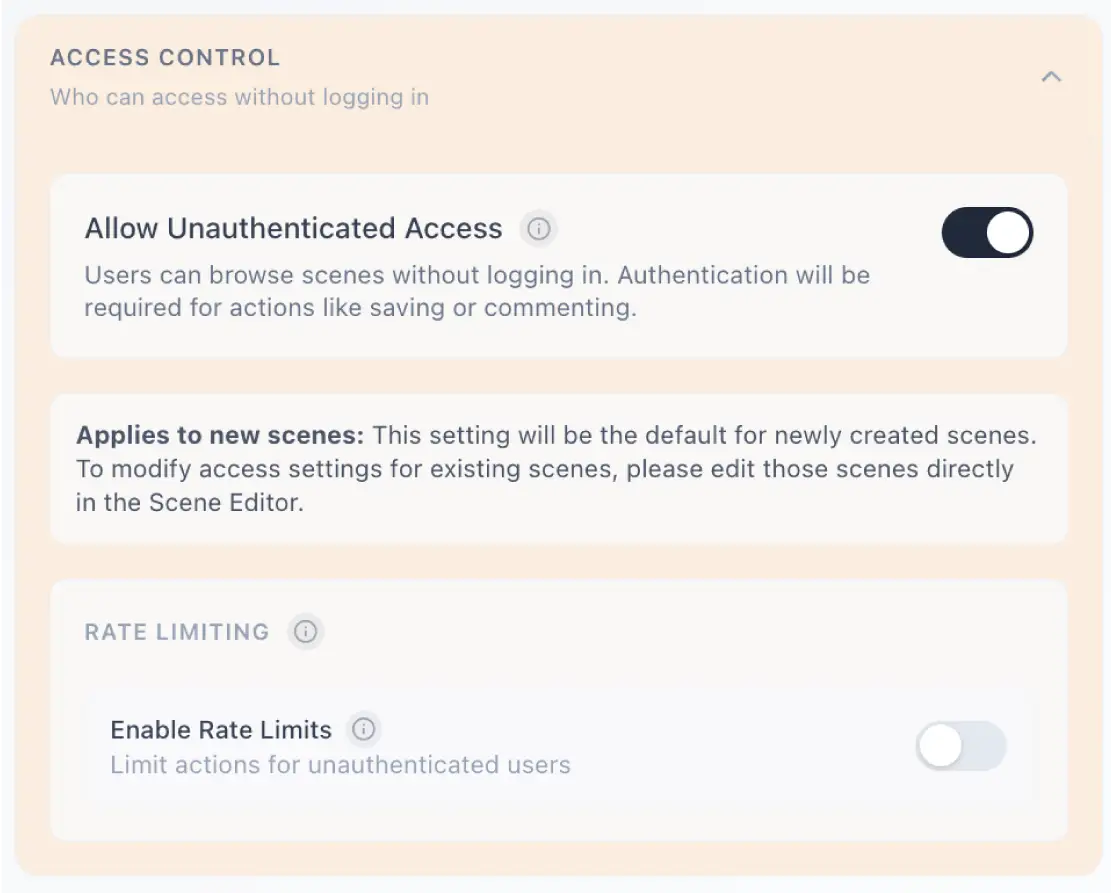
Define exactly who can view, interact with, or share each model with configurable permission layers.

Granular Access Control

Define exactly who can view, interact with, or share each model with configurable permission layers.

Granular Access Control

Define exactly who can view, interact with, or share each model with configurable permission layers.

Built to scale

Built to scale

Your products are complex. Selling them shouldn't be. Our platform turns dense 3D engineering files into buyer-ready conversational experiences so every prospect gets a product expert, on demand, at any hour.


Seconds

From question to accurate answer.

Seconds

From question to accurate answer.

Any format

STEP, FBX, OBJ, GLB we handle the conversion.

Any format

STEP, FBX, OBJ, GLB we handle the conversion.

Global

Deploy across markets without retraining a single rep.

Global

Deploy across markets without retraining a single rep.

A monochrome photo of a man on a hilltop, standing confidently against a vast, open landscape.

Pricing

Pricing that scales with you.

Start building 3D Commerce for free. Upgrade when you need more features and team collaboration.

Free

Explore the platform. Upload your first model and see what's possible.

$0

/forever

1 scene included (up to 100 components)

Basic processing tier

Demo conversations

5 scene limit

View-level analytics

1 Seat

Premium

Most Popular

Everything you need to process, deploy, and measure performance across your product line.

$149

/month

Billed yearly

Unlimited scenes

All processing tiers

Full scene deployment

Usage controls and spending caps

Advanced analytics

Custom branding

5 Seats (additional seats available)

Up to 5 Workspaces

Premier

Purpose-built for organizations that require dedicated infrastructure, granular access control, and premium support.

$1,299

/month

Billed yearly

Everything in Pro

Pixel streaming (Secure Viewer)

Access directories and permissions

Premium analytics suite

Priority support with dedicated account manager

Live Sync

20 Seats (+Bulk Seat Discounts)

Up to 25 Workspaces

Not sure which plan fits? Compare plans to find what's right for your team.

Capabilities

Powerful Features

Everything you need to turn CAD into a sales experience: Analyze, animate, and customize all from one platform.

Feature

Simple Setup, Transparent Pricing

Upload your CAD file, choose your analysis depth, and go live — with clear per-model pricing and no hidden fees, so you always know exactly what you're paying for.

Feature

Simple Setup, Transparent Pricing

Upload your CAD file, choose your analysis depth, and go live — with clear per-model pricing and no hidden fees, so you always know exactly what you're paying for.

Feature

Simple Setup, Transparent Pricing

Upload your CAD file, choose your analysis depth, and go live — with clear per-model pricing and no hidden fees, so you always know exactly what you're paying for.

Feature Lineup

8/8

3DScribe ™:
The Physical AI Engine for Sales.

A complete platform of smart features that  transform how physical product companies sell, support, service and engage.

Neural intelligence inside

Feature Lineup

8/8

3DScribe ™:
The Physical AI Engine for Sales.

A complete platform of smart features that  transform how physical product companies sell, support, service and engage.

Neural intelligence inside

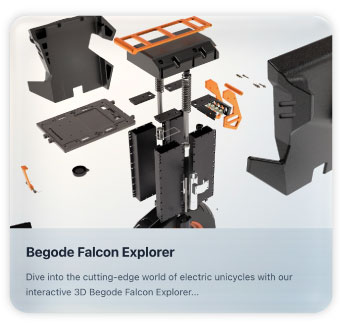
Component Analysis

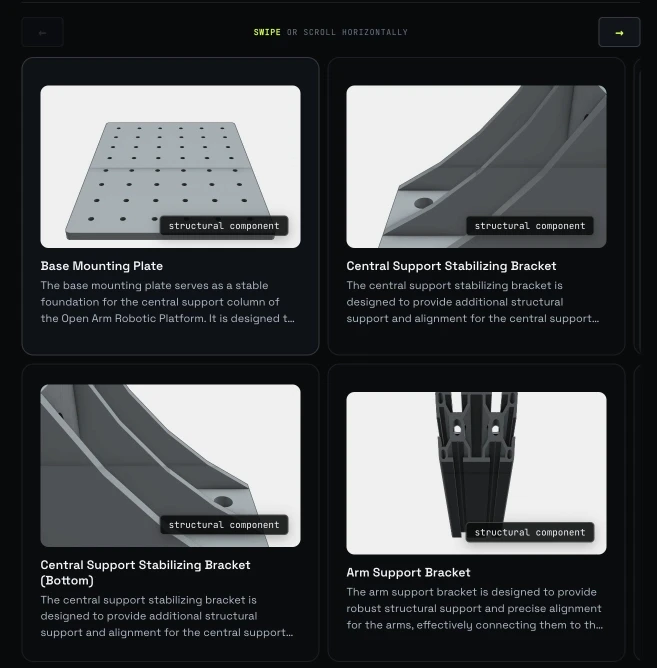
Automatically identify, label, and enrich every part in your assembly with technical metadata, turning static CAD into interactive product intelligence.

Featured Product

Component Analysis

Automatically identify, label, and enrich every part in your assembly with technical metadata, turning static CAD into interactive product intelligence.

Featured Product

Component Analysis

Automatically identify, label, and enrich every part in your assembly with technical metadata, turning static CAD into interactive product intelligence.

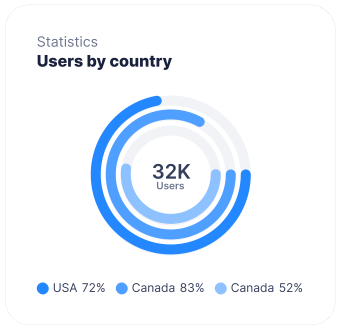
Spatial Analytics

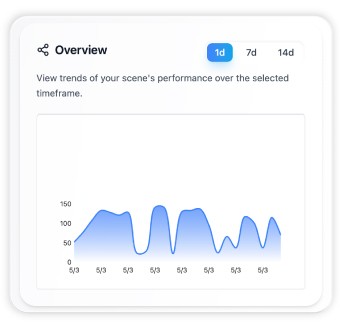
Track exactly how viewers explore your 3D models with heatmaps, engagement metrics, and interaction data that reveal what matters most to your buyers.

Innovative Device 3

Feature

Spatial Analytics

Track exactly how viewers explore your 3D models with heatmaps, engagement metrics, and interaction data that reveal what matters most to your buyers.

Innovative Device 3

Feature

Spatial Analytics

Track exactly how viewers explore your 3D models with heatmaps, engagement metrics, and interaction data that reveal what matters most to your buyers.

Innovative Device 3

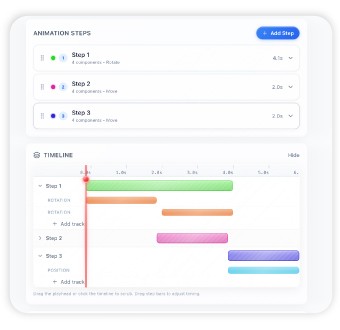
Animation Engine

Create complex 3D animations powered by AI that bring your products to life — from exploded views to full assembly sequences — without touching a timeline.

Featured Product

Animation Engine

Create complex 3D animations powered by AI that bring your products to life — from exploded views to full assembly sequences — without touching a timeline.

Featured Product

Animation Engine

Create complex 3D animations powered by AI that bring your products to life — from exploded views to full assembly sequences — without touching a timeline.

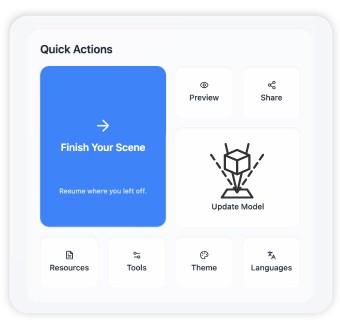
Endless Customization

Tailor every detail of your 3D experience — from UI elements and camera behavior to environment lighting — so it feels native to your brand.

Innovative Device 5

Featured Product

Endless Customization

Tailor every detail of your 3D experience — from UI elements and camera behavior to environment lighting — so it feels native to your brand.

Innovative Device 5

Featured Product

Endless Customization

Tailor every detail of your 3D experience — from UI elements and camera behavior to environment lighting — so it feels native to your brand.

Innovative Device 5

3DScribe v0.7a

Early beta access now available.

Early access now available.

Benchmarked Accuracy

10.9
10.9

%

Join early beta

Join early beta

3DScribe v0.7a

Early beta access now available.

Benchmarked Accuracy

10.9

%

Join early beta

Pricing

Pricing that scales with you.

Start building dashboards for free. Upgrade when you need more data sources and team collaboration.

Pricing

Pricing that scales with you.

Start building dashboards for free. Upgrade when you need more data sources and team collaboration.

Frequently asked questions.

Have more questions or need help?

What is 3D Scribe and what does it replace?
icon

3D Scribe replaces static manuals, PDF exploded views, and recorded video walkthroughs with interactive 3D scenes your customers actually use. Upload your CAD model in any major format -- GLB, FBX, OBJ, STL, or ZIP -- and the platform walks you through a guided scene creation process: name your components, build guided tours with AI-generated audio narration, customize materials and lighting, and let our Morpheus AI engine document every part automatically. A 100-part model goes from raw file to published scene in roughly an hour. When it's live, it publishes directly to your yourcompany.spatialsupport.com subdomain (or your own custom domain on Premier), and Spatial Analytics starts tracking exactly how end users interact with your content.

What happens after I publish a scene?
icon

You get two things no PDF or video can deliver: measurable engagement and spatial intelligence. Your scene goes live on your .spatialsupport subdomain -- customers can explore the model, select individual components, follow guided tours with narration, and trigger animations, all in-browser on any device including Apple Vision Pro. On your side, Spatial Analytics (Pro and Premier plans) shows you what's working: session-level engagement, component interaction heatmaps, tour completion funnels, device breakdowns, and full 3D session replay that reconstructs exactly what each user saw and clicked. You stop guessing which parts of your product documentation actually get used.

How fast is the scene creation process?
icon

Fast enough to ship this week. The guided workflow has seven steps -- basic info, component documentation, guided tours, material customization, AI analysis, enrichment, and review -- and most of the heavy lifting is automated. The Morpheus AI engine names components, writes descriptions, discovers part relationships, and generates complete guided tours with camera positioning and synthesized audio narration in your chosen tone. For a model with around 100 parts, expect roughly an hour from upload to published scene. Simpler models go faster. Complex assemblies with custom animations and multiple tours take longer, but you're building in a structured editor, not writing code.

Who switches to 3D Scribe and why?
icon

Teams that are tired of shipping static documentation for spatial products. Product companies replacing PDF assembly guides with interactive 3D. Manufacturers moving from filmed walkthroughs to on-demand guided tours with per-component analytics. Field service teams that need technicians to find the right part in a 3D context, not a 200-page manual. Sales engineers who want prospects to explore the product themselves instead of waiting for a scheduled demo. The common thread: they all needed to publish spatial content to customers fast, measure whether it's working, and stop maintaining documentation that nobody reads. Pro plans support up to 10 team members across all workspaces. Premier scales to enterprise with 20 users per workspace, white-label branding, custom domains, and dedicated onboarding.

What makes guided tours and animations different from a video?
icon

Videos are linear, unmeasurable, and expensive to re-record when the product changes. 3D Scribe tours are interactive, trackable, and editable in minutes. Each tour step locks the camera to a precise position, highlights the target component, and delivers narration -- AI-generated or custom -- while the viewer stays in full control of the 3D environment. They can pause, orbit, select nearby parts, or skip ahead. The animation engine lets you demonstrate moving assemblies, exploded views, and operational sequences with keyframed position, rotation, scale, and visibility tracks. And because everything is data, Spatial Analytics tells you which tour steps users complete, where they drop off, and which components get the most attention. When the product changes, you update the scene and redeploy -- no reshooting, no re-editing, no re-uploading to five different platforms.

Frequently asked questions.

Have more questions or need help?

What is 3D Scribe and what does it replace?
icon

3D Scribe replaces static manuals, PDF exploded views, and recorded video walkthroughs with interactive 3D scenes your customers actually use. Upload your CAD model in any major format -- GLB, FBX, OBJ, STL, or ZIP -- and the platform walks you through a guided scene creation process: name your components, build guided tours with AI-generated audio narration, customize materials and lighting, and let our Morpheus AI engine document every part automatically. A 100-part model goes from raw file to published scene in roughly an hour. When it's live, it publishes directly to your yourcompany.spatialsupport.com subdomain (or your own custom domain on Premier), and Spatial Analytics starts tracking exactly how end users interact with your content.

What happens after I publish a scene?
icon

You get two things no PDF or video can deliver: measurable engagement and spatial intelligence. Your scene goes live on your .spatialsupport subdomain -- customers can explore the model, select individual components, follow guided tours with narration, and trigger animations, all in-browser on any device including Apple Vision Pro. On your side, Spatial Analytics (Pro and Premier plans) shows you what's working: session-level engagement, component interaction heatmaps, tour completion funnels, device breakdowns, and full 3D session replay that reconstructs exactly what each user saw and clicked. You stop guessing which parts of your product documentation actually get used.

How fast is the scene creation process?
icon

Fast enough to ship this week. The guided workflow has seven steps -- basic info, component documentation, guided tours, material customization, AI analysis, enrichment, and review -- and most of the heavy lifting is automated. The Morpheus AI engine names components, writes descriptions, discovers part relationships, and generates complete guided tours with camera positioning and synthesized audio narration in your chosen tone. For a model with around 100 parts, expect roughly an hour from upload to published scene. Simpler models go faster. Complex assemblies with custom animations and multiple tours take longer, but you're building in a structured editor, not writing code.

Who switches to 3D Scribe and why?
icon

Teams that are tired of shipping static documentation for spatial products. Product companies replacing PDF assembly guides with interactive 3D. Manufacturers moving from filmed walkthroughs to on-demand guided tours with per-component analytics. Field service teams that need technicians to find the right part in a 3D context, not a 200-page manual. Sales engineers who want prospects to explore the product themselves instead of waiting for a scheduled demo. The common thread: they all needed to publish spatial content to customers fast, measure whether it's working, and stop maintaining documentation that nobody reads. Pro plans support up to 10 team members across all workspaces. Premier scales to enterprise with 20 users per workspace, white-label branding, custom domains, and dedicated onboarding.

What makes guided tours and animations different from a video?
icon

Videos are linear, unmeasurable, and expensive to re-record when the product changes. 3D Scribe tours are interactive, trackable, and editable in minutes. Each tour step locks the camera to a precise position, highlights the target component, and delivers narration -- AI-generated or custom -- while the viewer stays in full control of the 3D environment. They can pause, orbit, select nearby parts, or skip ahead. The animation engine lets you demonstrate moving assemblies, exploded views, and operational sequences with keyframed position, rotation, scale, and visibility tracks. And because everything is data, Spatial Analytics tells you which tour steps users complete, where they drop off, and which components get the most attention. When the product changes, you update the scene and redeploy -- no reshooting, no re-editing, no re-uploading to five different platforms.

Frequently asked questions.

Have more questions or need help?

What is 3D Scribe and what does it replace?
icon

3D Scribe replaces static manuals, PDF exploded views, and recorded video walkthroughs with interactive 3D scenes your customers actually use. Upload your CAD model in any major format -- GLB, FBX, OBJ, STL, or ZIP -- and the platform walks you through a guided scene creation process: name your components, build guided tours with AI-generated audio narration, customize materials and lighting, and let our Morpheus AI engine document every part automatically. A 100-part model goes from raw file to published scene in roughly an hour. When it's live, it publishes directly to your yourcompany.spatialsupport.com subdomain (or your own custom domain on Premier), and Spatial Analytics starts tracking exactly how end users interact with your content.

What happens after I publish a scene?
icon

You get two things no PDF or video can deliver: measurable engagement and spatial intelligence. Your scene goes live on your .spatialsupport subdomain -- customers can explore the model, select individual components, follow guided tours with narration, and trigger animations, all in-browser on any device including Apple Vision Pro. On your side, Spatial Analytics (Pro and Premier plans) shows you what's working: session-level engagement, component interaction heatmaps, tour completion funnels, device breakdowns, and full 3D session replay that reconstructs exactly what each user saw and clicked. You stop guessing which parts of your product documentation actually get used.

How fast is the scene creation process?
icon

Fast enough to ship this week. The guided workflow has seven steps -- basic info, component documentation, guided tours, material customization, AI analysis, enrichment, and review -- and most of the heavy lifting is automated. The Morpheus AI engine names components, writes descriptions, discovers part relationships, and generates complete guided tours with camera positioning and synthesized audio narration in your chosen tone. For a model with around 100 parts, expect roughly an hour from upload to published scene. Simpler models go faster. Complex assemblies with custom animations and multiple tours take longer, but you're building in a structured editor, not writing code.

Who switches to 3D Scribe and why?
icon

Teams that are tired of shipping static documentation for spatial products. Product companies replacing PDF assembly guides with interactive 3D. Manufacturers moving from filmed walkthroughs to on-demand guided tours with per-component analytics. Field service teams that need technicians to find the right part in a 3D context, not a 200-page manual. Sales engineers who want prospects to explore the product themselves instead of waiting for a scheduled demo. The common thread: they all needed to publish spatial content to customers fast, measure whether it's working, and stop maintaining documentation that nobody reads. Pro plans support up to 10 team members across all workspaces. Premier scales to enterprise with 20 users per workspace, white-label branding, custom domains, and dedicated onboarding.

What makes guided tours and animations different from a video?
icon

Videos are linear, unmeasurable, and expensive to re-record when the product changes. 3D Scribe tours are interactive, trackable, and editable in minutes. Each tour step locks the camera to a precise position, highlights the target component, and delivers narration -- AI-generated or custom -- while the viewer stays in full control of the 3D environment. They can pause, orbit, select nearby parts, or skip ahead. The animation engine lets you demonstrate moving assemblies, exploded views, and operational sequences with keyframed position, rotation, scale, and visibility tracks. And because everything is data, Spatial Analytics tells you which tour steps users complete, where they drop off, and which components get the most attention. When the product changes, you update the scene and redeploy -- no reshooting, no re-editing, no re-uploading to five different platforms.

Subscribe to get daily insights and company news straight to your inbox.